 Open
Open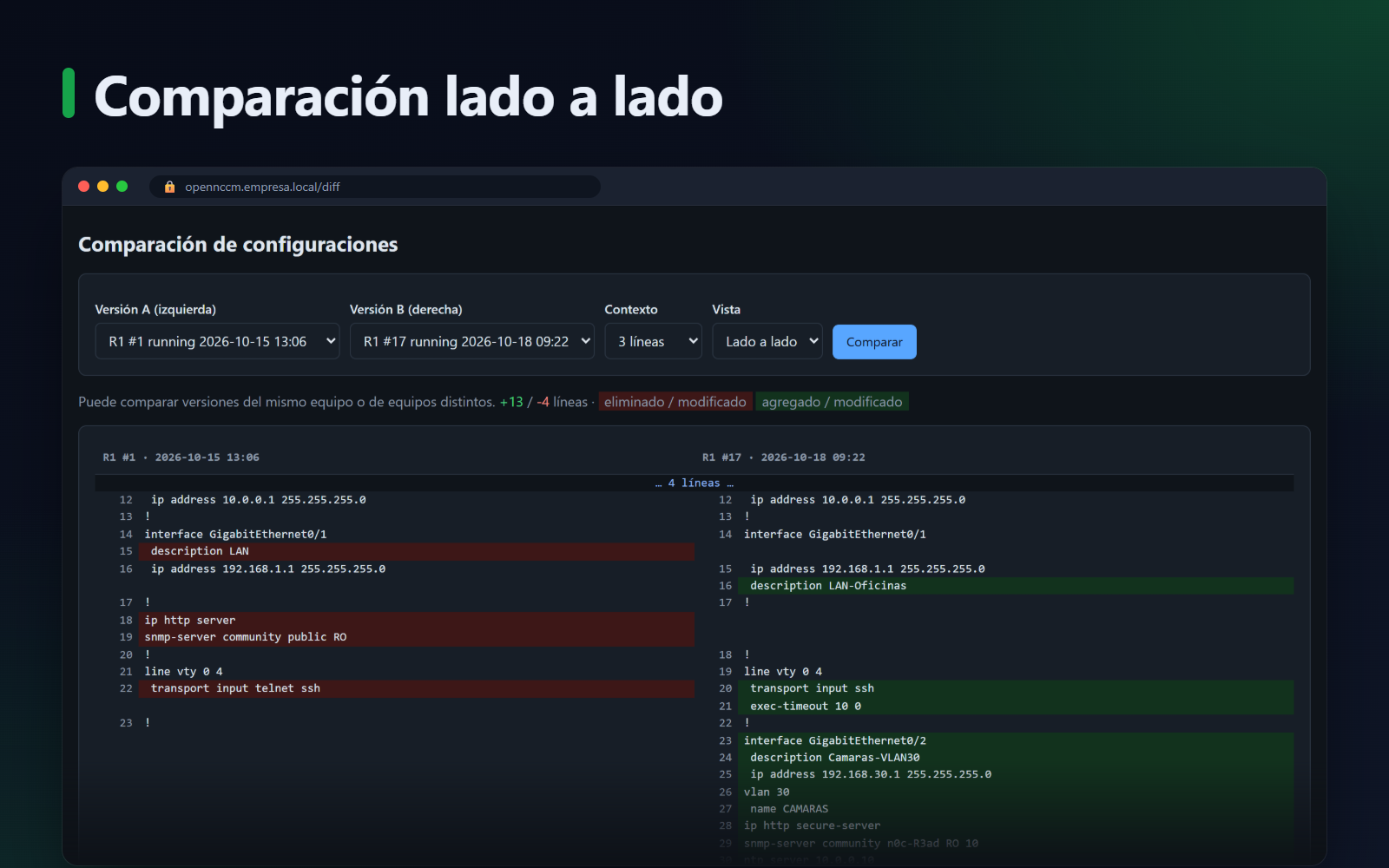
💾
Backups
Manual, scheduled and automatic when a change is detected through syslog. Running and startup configs, encrypted with AES-256.
OpenNCCM backs up, versions, compares and audits switches, routers and firewalls from about 70 vendors. It detects changes in real time and rolls back when something goes wrong. Free and open source.
Screenshots
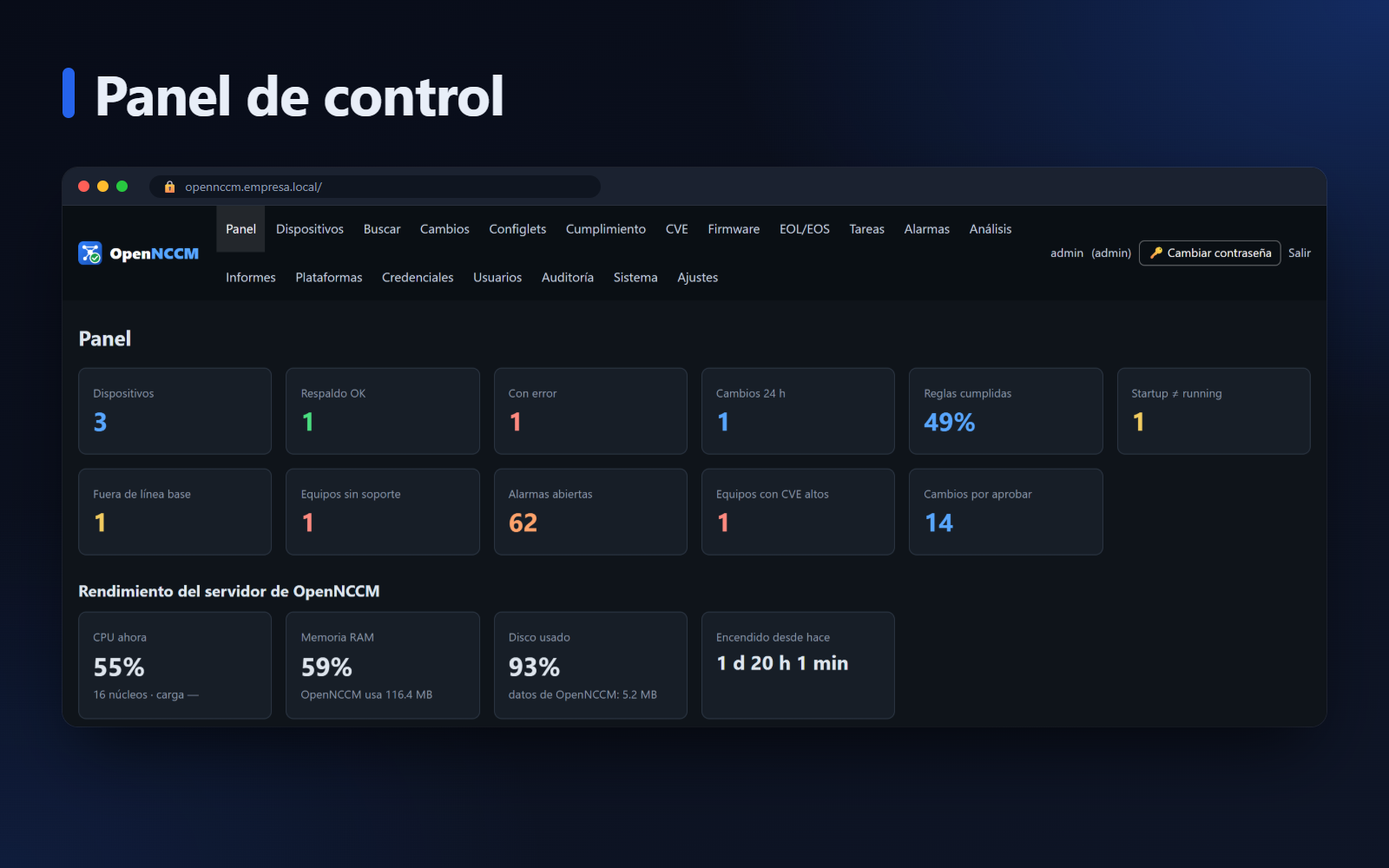
A clear, mobile-friendly and accessible web interface, built for people who run networks every day.
The interface is currently in Spanish.
Features
What commercial network configuration management tools offer, on a server you own and with your data in-house.
Manual, scheduled and automatic when a change is detected through syslog. Running and startup configs, encrypted with AES-256.
Full history, tags and baselines. Side-by-side or unified comparison, between versions or between devices.
Configlets with Jinja2 templates for bulk changes, change requests with approval, and manual or automatic rollback.
Policies with rules and remediation. Packs for PCI DSS 4.0, HIPAA, SOX and Cisco IOS / Junos hardening.
Image repository and remote upgrades: SCP, MD5 verification, boot settings and reload.
Firmware CVEs for every device (NVD) and end of life / end of support, from CSV or the Cisco EoX API.
SSH to the device from the browser, in its own window, with optional automatic login and full auditing.
Scheduled tasks without writing cron, alarms by severity, and alerts by email, Teams, Slack or Telegram.
Charts, on-screen reports, CSV export and scheduled delivery by email.
Admin, operator and viewer roles, device groups, two-factor authentication (TOTP) and a complete audit trail.
10 themes plus automatic, mobile-friendly and accessible, with tested WCAG AA contrast.
Encrypted database backups, SFTP offload, restore, and upgrades that roll back on failure.
Installation
On a fresh Ubuntu Server 22.04 or 24.04, a single command launches a menu-driven wizard that does everything.
22.04 or 24.04 LTS, physical or virtual. 2 vCPUs and 4 GB of RAM handle up to 300 devices.
It checks the server, updates Ubuntu and installs anything missing. It asks for the address, time zone, HTTPS type, database, firewall and administrator password.
When it finishes it shows the address and credentials. Install the authority from https://SERVER/certificado on your PC and the browser stops showing warnings.
From System → Update. It takes a backup first and, if the new version does not respond, it rolls back on its own.
$ curl -fsSL https://raw.githubusercontent.com/Gaaraalex/opennccm/main/install.sh -o install.sh && sudo bash install.sh
$ sudo opennccm update
$ curl -fsSL https://raw.githubusercontent.com/Gaaraalex/opennccm/main/install.sh | \
  sudo bash -s -- --unattended --host 10.0.0.5 --admin-pass 'UnaClaveSegura123'
All options with sudo bash install.sh --help: HTTPS with Let's Encrypt or a self-signed certificate, PostgreSQL, firewall, email, a specific version…
Every change is tested automatically on Ubuntu 22.04 and 24.04: installation, wizard, upgrade, rollback and recovery from a broken release.
Ports: TCP 443 (web) and UDP 514 (syslog from devices); outbound TCP 22 to the devices.
| Devices | CPU | RAM | Disk |
|---|---|---|---|
| up to 300 | 2 vCPU | 4 GB | 40 GB |
| 300 – 2,000 | 4 vCPU | 8 GB | 100 GB |
| over 2,000 | 8 vCPU | 16 GB | 200 GB + PostgreSQL |
The opennccm tool is installed with the application.
opennccm status | Status, version and updates |
sudo opennccm update | Upgrade (or --check) |
sudo opennccm rollback | Go back to the previous version |
sudo opennccm backup | Recovery backup |
sudo opennccm reset-2fa USER | Remove two-factor |
opennccm logs -f | Service log |
Vendors
Built on Netmiko, with inventory parsing, error detection and false-change filtering for each vendor. Any other SSH device works with the generic profile.
Changelog
The latest releases. The application itself tells you when a new one is out and installs it with one click.
Release notes are published in Spanish.
Documentation
The PDF guides are currently in Spanish.
Open source under the GPL-3.0 license: use it, study it, modify it and share it.